Ink in water.
Thought in plain text.
Squill is a notebook where handwriting and Markdown share the same page. Your notes stay as plain files in a folder you own, and sync end-to-end encrypted through your own iCloud or a folder you choose. No account, no server of ours.
Dusk · Write
Keyboard and Pencil, one page.
Type Markdown with live preview, then pick up the Pencil on any blank line. The ink block grows as you write and settles into a quiet embed when you stop.
Handwriting is recognized on the device, so it turns up in search and links without ever being replaced. Convert a line to text when you want to; the original strokes stay one tap away.
Tide · Read
A paper in one hand, a pen in the other.
Import a PDF, or paste an arXiv ID or DOI. Highlight and circle as you read; each mark can become a quote in your paper note, linked back to the page it came from.
Citations, BibTeX and related work are fetched from arXiv, Crossref and OpenAlex, and only when you turn lookups on.
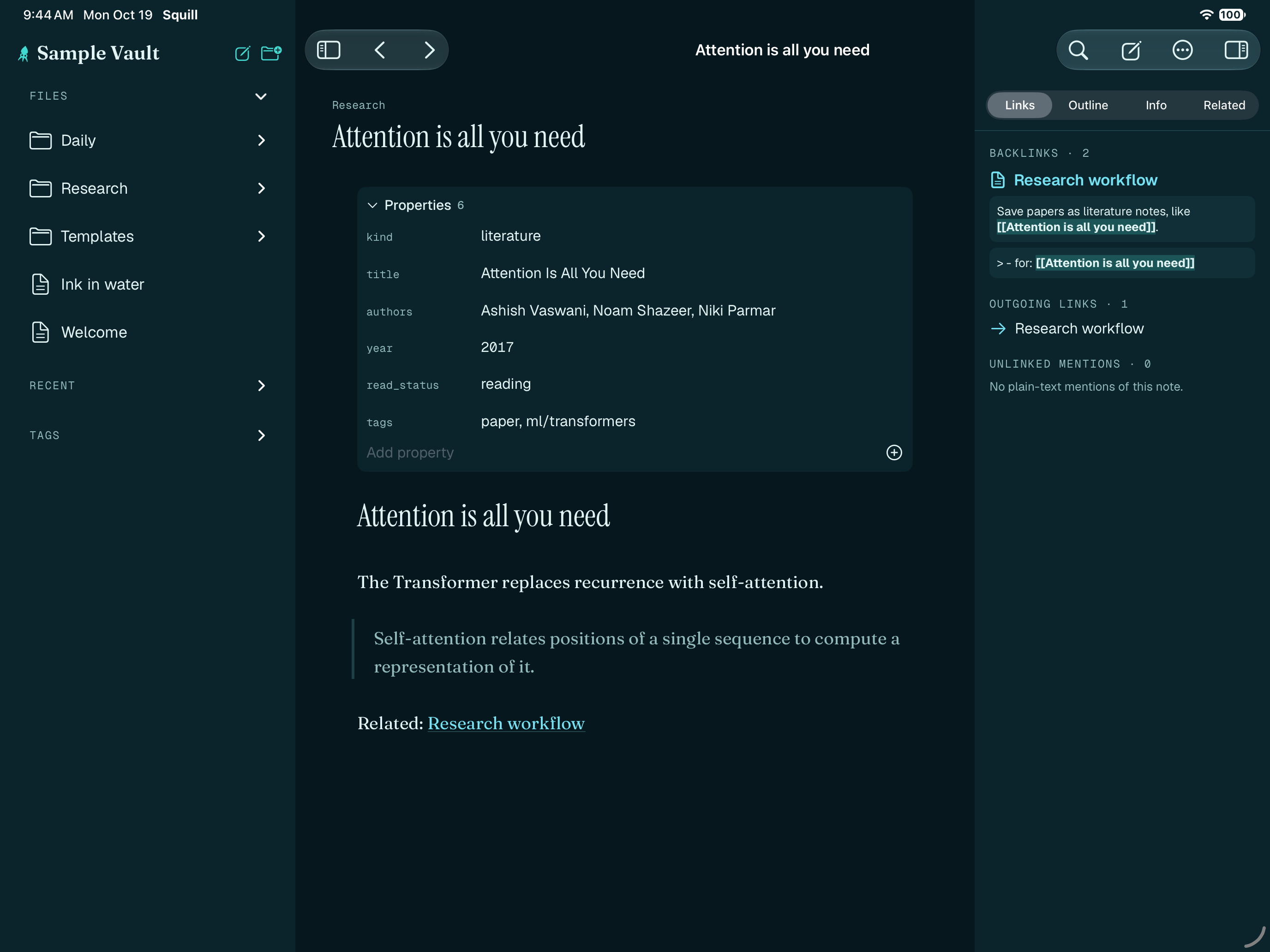
Drift · Think
Watch an idea take shape.
Margin notes stay anchored to the paragraph they annotate, even as the text above them moves. Scrub the thinking replay to see a note being written, stroke by stroke and line by line.
Fork a note to try a different argument, then merge it back. Mark claims and tie them to the quotes, papers and experiments that support them.
Plain files
Nothing you write is trapped.
A vault is a folder of Markdown files. Squill saves your text byte for byte, keeps ink beside it in a documented open format, and treats its own database as a cache it can rebuild.
It opens plain-Markdown vaults, including ones made with Obsidian. (Squill is not affiliated with Obsidian.) Git, grep and your other editors keep working.
sparse-attention.md
vaswani-2017.md
_ink/7f3c9a.pkink
_ink/7f3c9a.squillink.json
_attachments/vaswani-2017.pdf
.squill/  # cache, safe to delete
## Claim
Sparsity is learned, not imposed [@vaswani2017, p. 7]
![[_ink/7f3c9a]]
See also [[Attention budgets]]Private by default
Yours, end to end.
Squill works offline and talks to the network only for features you switch on. When it does, you can see exactly where it went.
Sealed before it leaves
Sync payloads are encrypted on your device with a key only your devices hold, then stored in your own iCloud or a folder you pick.
No server of ours
There is no Squill account and no Squill cloud. Nothing to sign up for, nothing for us to lose.
No telemetry
No analytics, no crash-reporting SDKs, no remote config. A network activity screen lists every host the app has contacted.
AI only if you ask
Off by default. On-device models stay on the device; for remote ones you see exactly what will be sent before anything goes.
Open source
Apache-2.0 code and an openly licensed file format spec. Read it, build it, fork it.
Built in the open
Design decisions, the threat model and the sync protocol are written down in the repository.
Get Squill
Not in the stores yet.
Squill is being built in the open for iPhone, iPad and Mac. Store and beta links will appear here when there is something to install. Until then, the source is the best place to follow along.
- App StoreComing soon · iPhone and iPad
- Mac App StoreComing soon · Apple silicon Macs
- TestFlight betaComing soon · Try early builds